How to Redeem ALL CHROMAS GAME Codes
Paste exactly, watch autocorrect, and remember each code works once per Roblox account.
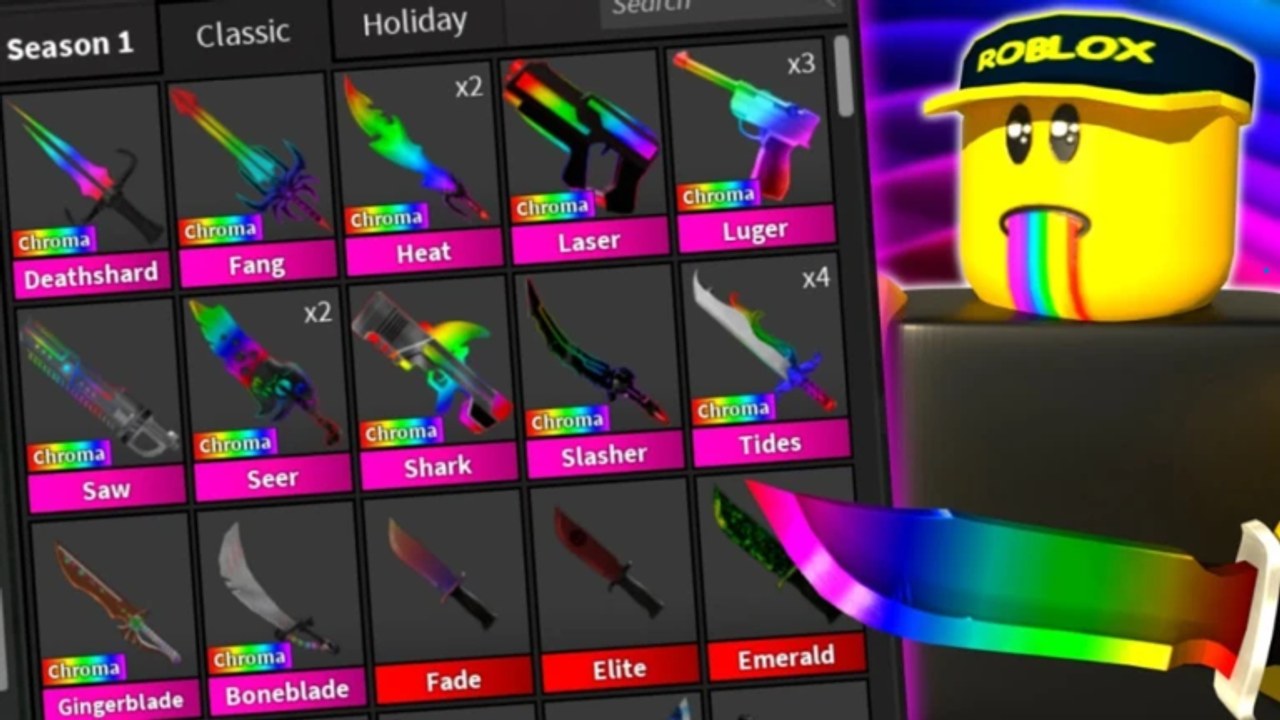
ALL CHROMAS GAME has no confirmed promo codes as of September 2026. This page still exists because the redeem flow is the first thing people search after a patch, and because fake “working codes” videos will tell you to mash a string into a box that may not even be in the client yet. Learn the steps once. When a real code appears on the codes hub or in launch and patch notes, you will not waste the window on a typo.
The game is a free, online, 12-player Survival / 1 vs All lobby that has been live since 30 July 2026. Redeeming a code (if one ever ships) will not change your role mid-round and will not add Chroma Luger to an inventory that already has it. It is a claim action on your Roblox account, closer to opening a gift than to finding a secret chroma crate.
Before you paste anything
- Confirm the string is listed on this wiki’s codes page or on an official channel linked from the links hub. If the only source is a comment that also wants you to “complete a survey,” stop.
- Copy the code; do not retype it from a thumbnail. Hidden O/0 and I/l swaps are how “invalid code” happens.
- Join the live experience from the ALL CHROMAS GAME Roblox page, not a copycat place with a similar name.
- Finish or leave the current round if the UI refuses input during a chase. A Murderer knife throw is a bad moment to open shop.
There is no documented, official redeem screenshot for this specific clone. Many MM2-style lobbies put the field behind Shop, Twitter, Gift, or a ticket icon. If your client has no such button, you are not missing a secret — there may simply be nothing to redeem yet.
Redeem on PC
- Launch Roblox on Windows, then start ALL CHROMAS GAME so you load into the chroma lobby (Season 1 / Classic / Holiday tabs visible in inventory).
- Open the on-screen menu. Look for Shop, Codes, Twitter, Rewards, or a gift box. Do not install a browser extension “to auto-claim.”
- Click the text field. Use Ctrl+V to paste the string from the codes hub when a live row exists.
- Submit with the Redeem / Claim button. Wait for a success toast. If the UI does nothing, close and reopen the panel once before assuming the code is dead.
- Check inventory, currency, or a mail/gift tab for the reward. Chromas you already own will not duplicate into a second Heat or second Tides; a cosmetic or currency grant is the realistic outcome if codes ever go live.
- If the game stutters after a claim, rejoin the server. Account-wide grants sometimes need a fresh session.
Keyboard layout matters. A code typed on a non-US layout can inject extra characters. Paste beats typing. Never include spaces before or after the string unless the official listing shows a space (we have never confirmed one).
Redeem on mobile
Phones and tablets run the same 12-player experience, but the on-screen keyboard is the usual failure point.
- Open the Roblox app, search ALL CHROMAS GAME, and enter the official place — not a “chroma codes” knockoff.
- Rotate to landscape if the shop button sits under your thumb in portrait. Tap Shop / Codes / Gift when that control exists.
- Tap the field, then tap and hold to Paste. Turn off autocorrect for that field if your keyboard wants to capitalize or insert an apostrophe.
- Check the preview before you hit Redeem. Mobile keyboards love turning
lugerintoLugeror adding a trailing period. Case sensitivity is real; see below. - After a success message, background the app and resume, or hop servers, so the grant replicates.
- If paste is disabled inside the experience, paste into Roblox chat first, copy it back, and try the field again. Do not screenshot-OCR a code from a compressed story — OCR invents letters.
Console players follow the same idea with a USB keyboard or the on-screen keyboard: paste if the platform allows it, otherwise enter slowly and confirm each character. There is no separate “console code store.”
Case sensitivity, one-time use, and other hard rules
Treat every future ALL CHROMAS GAME code as case-sensitive until an official post says otherwise. ChromaHeat and chromaheat are different strings. So are trailing spaces. Copy from the listing; do not “fix” capitalization to look nicer.
Codes on Roblox are almost always one-time per account, not per server and not per device. If you redeem on phone, your PC login of the same account will already be marked used. Alt accounts are separate Roblox users — using them to farm a limited drop is against the spirit of a gift and still will not unlock extra chromas you do not already have.
A code can also be:
- Expired. Holiday windows close. “Invalid” after a week is normal, not a bug in your client.
- Region or platform locked. Rare, but possible. If PC takes it and mobile says invalid on the same account, the grant already applied.
- Mistyped in the wild. If three videos disagree on one character, none of them are a source. Wait for the codes table.
If redeem fails
Work the list in order before you assume the wiki is “hiding the real code”:
- You pasted a string that was never confirmed. Return to codes — the live list is empty on purpose.
- Extra space, wrong case, or a period added by mobile autocorrect.
- You already redeemed it on this account during an earlier session.
- You are in a copycat experience. Compare the creator group on the links hub with the group shown on your pause menu.
- The grant is delayed. Rejoin once. Do not spam the button fifty times; some UIs lock after repeated invalids.
Never type your Roblox password into a “code generator,” never download a “redeem.exe,” and never pass .ROBLOSECURITY to a site that promises to claim codes for you. That is account theft, not a shortcut. The same warning lives on script safety because the scam overlap is large.
After a successful claim
Go back to playing the round you actually queued for. Equip a chroma you have not tried — Gingerblade or Boneblade if you only ever used Heat — and remember that Sheriff still drops the gun on a miss. Codes do not patch bad aim. For role basics use getting started. For what changed at launch versus later patches, read launch notes and the rest of updates.
When this wiki adds a live code, the redeem steps on this page stay the same; only the codes hub table changes. You will not need a new tutorial, and you will not need an executor to press Redeem.
Frequently Asked Questions
Quick answers to the most common questions.
Can I redeem ALL CHROMAS GAME codes on mobile?
Yes, if a redeem field exists in the live client. Paste the string, disable autocorrect, and watch capitalization. There are still no confirmed codes as of September 2026 — see the codes hub.
Are codes case-sensitive?
Assume yes. Paste exactly from a verified listing. Do not “correct” capitals. When a real code is posted, it will be written on codes the way the server expects it.
Can I use the same code on two devices?
Not on the same Roblox account. Redeem is account-wide. Your phone and PC share the used flag. Alts are separate accounts and still will not invent extra chromas.
The game has no Codes button. Am I in the wrong place?
Maybe, or the UI was never added. Confirm you launched the official place from the [Roblox game page](https://www.roblox.com/games/136168848660379/ALL-CHROMAS-GAME) and compare the group on the links hub. No button often means no live codes.
Where do new codes get announced?
Watch codes, launch notes, and the creator group. This wiki will not publish an invented string to fill the gap.